May 1, 2026
8 minute read

Time management separates productive professionals from overwhelmed ones. These seven strategies help busy professionals prioritize high-impact work, eliminate context switching, and create sustainable productivity systems. From time blocking in dedicated spaces to batch processing meetings and setting physical boundaries between work modes, effective time management requires both mental discipline and environmental support. For professionals juggling multiple responsibilities, client demands, and growth objectives, mastering these strategies creates the focus needed to accomplish what matters most.
Table of Contents:
Busy professionals do not need another productivity hack. They need a thoughtful time management strategy that actually addresses constant interruptions, competing priorities, and unpredictable demands.
Generic tips like “make a to-do list” or “wake up earlier” ignore the complexity of modern professional work.
Effective time management requires matching strategies to how work actually happens. Different tasks need different environments. Focus work demands uninterrupted time. Collaborative work requires accessible spaces. The strategies that work recognize these distinctions and build systems around them.
Time blocking assigns specific hours to specific types of work. This prevents reactive task-switching and protects high-priority work from getting crowded out by urgent but less important demands.
Time blocking works better when paired with dedicated physical spaces. Blocking 9 AM to 11 AM for deep work means nothing if those hours happen in a noisy environment with constant interruptions.
The time block needs a space that supports the work at hand.
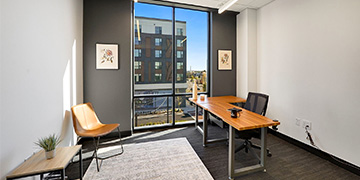
Private offices create ideal environments for deep work blocks. Closing a door signals unavailability and an intent to focus. Quiet, controlled spaces eliminate ambient distractions. When the calendar says “focus time,” the environment should reinforce that intention.
Start by categorizing work into types: deep focus work, collaborative work, administrative tasks, and meetings. Assign each category to specific time blocks based on your personal energy patterns. Most professionals have peak focus in morning hours and collaborative energy in afternoons, but the key is to map your time blocking to your work habits, not someone else’s.
Once they’ve been created, protect focus blocks aggressively. Decline meetings during those hours. Turn off notifications. Make the block visible to colleagues. If interruptions still happen, the problem is not the strategy, but the boundaries supporting it.
Switching between different types of tasks drains mental energy. Each transition requires a mental recalibration that slowly but surely drains focus and energy. Batch processing groups similar tasks together, reducing transitions and maintaining your momentum.
Emails, phone calls, expense reports, invoice reviews, and contract approvals all work well in batches. Rather than responding to emails throughout the day, designate two or three specific times for email processing. Instead of making calls whenever they come to mind, block 30 minutes for all outbound calls.
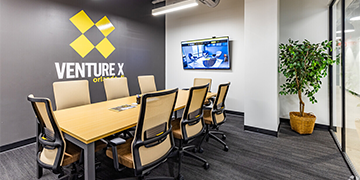
Meeting rooms can help support batch scheduling. Block a full afternoon for all client meetings rather than scattering them across the week. This reduces context switching and creates longer uninterrupted periods for deep work.
The main objection to batching is responsiveness. Some professionals worry that checking email only twice daily makes them appear unavailable. In practice, most communication does not require you to respond instantly.
Setting clear expectations about response times maintains relationships while protecting your productivity.
Emergency channels should exist outside of batched processes. A direct phone line or urgent text system handles truly time-sensitive matters. Everything else can wait for the next batch processing window.
Working from home blurs the line between your professional and personal life. Without physical separation, work bleeds into evenings and weekends. Mental boundaries need physical reinforcements to make them effective.
Commuting to a workspace creates a mental transition that working from home simply does not reproduce. Walking into coworking space or a private office signals the beginning of “work mode”. Leaving at the end of the day signals “work mode” ending. These physical transitions help maintain work-life separation.
For professionals who work from home part-time, maintaining a separate workspace helps. A dedicated home office works if it can be closed off, but shared living spaces make separation harder. Having access to professional workspace for focus days creates that needed boundary.
Clear boundaries prevent work from consuming all available time. Without defined end points, tasks expand to fill every available hour. Physical separation creates natural limits. When the workday ends because the office closes or the commute home begins, remaining work gets prioritized or deferred appropriately.
Context switching happens when attention shifts between different types of work or different mental modes. Every switch creates cognitive overhead that adds up over time. Minimizing these switches protects productivity.
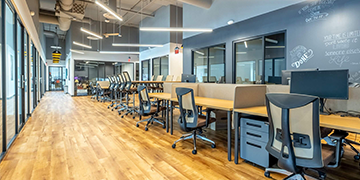
Different work modes benefit from different physical environments. Focused writing or analysis work demands a quiet, private space. Collaborative brainstorming benefits from open, energetic environments. Client-facing work needs a professional, polished setting.
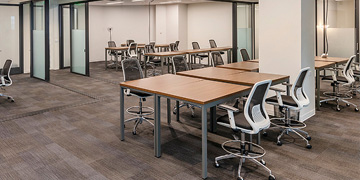
Having access to multiple workspace types helps to reduce context switching. Rather than forcing all work types into one environment, matching the environment to the work reduces mental friction. Dedicated desks are a great way to maintain a consistent space for routine work. Meeting rooms handle client interactions. Quiet zones support focused tasks.
Physical environment matters, but digital context switching causes equal damage. Having 47 browser tabs open, message apps pinging constantly, and email notifications interrupting focused work destroys your productivity.
Time management strategies must also address digital environments.
During focus blocks, close unnecessary applications. Use website blockers for social media and news sites. Put phones in different rooms or on airplane mode. The digital environment needs as much control as the physical environment.
Meetings consume professional time faster than any other activity. Strategic meeting management can reclaim hours every week.
Rather than scattering meetings throughout the week, batch them into specific days or half-days. This creates longer uninterrupted blocks for deep work. Tuesday and Thursday afternoons for all meetings means Monday, Wednesday, and Friday mornings stay protected for focus work.
Meeting rooms with booking systems make batch scheduling easier. When calendar availability shows clear meeting windows and clear protected time, others naturally schedule within those boundaries.
Before accepting any meeting, ask three questions:
If the answer to any of these questions is “no”, decline or propose an alternative.
For meetings that do happen, start and end on time. Set clear agendas in advance. Document decisions and next steps. Make every meeting worth the time you invest in it.
Location flexibility can enhance time management when used strategically. Different locations provide different energy, fewer distractions, or better collaboration opportunities.
Feeling stuck on a project? A change of scenery often unlocks new thinking. Hitting diminishing returns after hours of focused work? Moving to a collaborative space for lighter tasks maintains momentum.
Access to multiple Venture X locations supports this strategy. Professionals who travel for business can maintain productivity in different cities without losing time searching for a temporary workspace. The consistent environment across locations eliminates the mental overhead of adapting to new spaces.
Routine administrative tasks can happen anywhere. Deep strategic thinking needs quiet, inspiring environments. Collaborative projects need energetic spaces with good technology. Client meetings need professional, polished settings. Matching location to task type optimizes performance for everyone involved.
Daily task lists react to immediate demands. But weekly planning creates strategic alignment between daily actions and bigger objectives.
Set aside 30 to 60 minutes weekly for planning. Review the previous week: what got accomplished, what did not, and why? Look ahead at the coming week: what are the priorities, what time blocks need protection, and what potential conflicts exist?
This planning session works best in a quiet, private space where interruptions are unlikely. A private office after most colleagues leave for the week creates ideal conditions. The planning becomes a ritual that bookends each week.
Weekly planning connects daily tasks to bigger objectives. If a monthly goal is landing three new clients, what weekly actions support that? If a quarterly objective is launching a new service, what progress needs to happen this week?
Without this alignment, busy work consumes time that should go to important work. Weekly planning ensures priorities drive the schedule rather than urgencies.
Time management is not about doing more. It is about doing what matters. These seven strategies help busy professionals protect time for high-impact work, eliminate productivity drains, and create sustainable systems that support long-term success.
Explore Venture X solutions and discover environments designed for focused, productive work.
What is the most effective time management strategy for busy professionals?
Time blocking paired with dedicated workspace is the most effective strategy. Assigning specific hours to specific work types prevents reactive task-switching. Pairing those blocks with appropriate environments (private offices for focus work, meeting rooms for collaboration) reinforces the time boundaries and eliminates environmental distractions.
How do I stop constant interruptions from ruining my productivity?
Physical and digital boundaries stop most interruptions. Work from a private space during focus blocks. Turn off all notifications. Make your unavailability visible through calendar blocking and closed doors. Set clear expectations with colleagues about response times and emergency contact methods.
Is batching tasks really more efficient than handling things as they come up?
Yes. Task batching reduces context switching, which drains mental energy. Checking email twice daily instead of constantly jumping in and out of your inbox prevents interruptions and maintains focus. Most professional communication does not require instant response. Batching also reveals patterns and allows for more strategic responses.
How can I maintain work-life boundaries when working remotely?
Create physical separation between work and personal space. Commuting to a coworking space or office creates clear start and end points. If working from home, use a dedicated room that can be closed. Set specific work hours and enforce them. Physical transitions lead to smoother mental transitions.
What should I include in a weekly planning session?
Review the previous week’s accomplishments and challenges. Identify the coming week’s top three priorities. Block time for those priorities first, then schedule other tasks. Check for potential conflicts or over-commitments. Align weekly actions with monthly and quarterly goals. This session should take 30 to 60 minutes in a quiet, distraction-free environment.